We use cookies to make your experience better. To comply with the new e-Privacy directive, we need to ask for your consent to set the cookies. Learn more.


Simplify and Prepare Complex Geometry
Creating a high-quality hydraulic model often begins with good geometry. In the Surface-water Modeling System (SMS), arcs and polygons may come from imported GIS data, existing model coverages, or geometry drawn manually in the Map Module. However, imported or highly detailed geometry can contain unnecessary arcs, poorly spaced vertices, small features, or connections that make it difficult to build a clean computational mesh or grid.
The Clean Shapes tools in SMS 14.0 provide a way to inspect and modify this geometry before moving further into the modeling workflow. Rather than manually editing every feature, Clean Shapes provides targeted tools for simplifying, joining, pruning, snapping, and redistributing geometry.
What Are the Clean Shapes Tools?
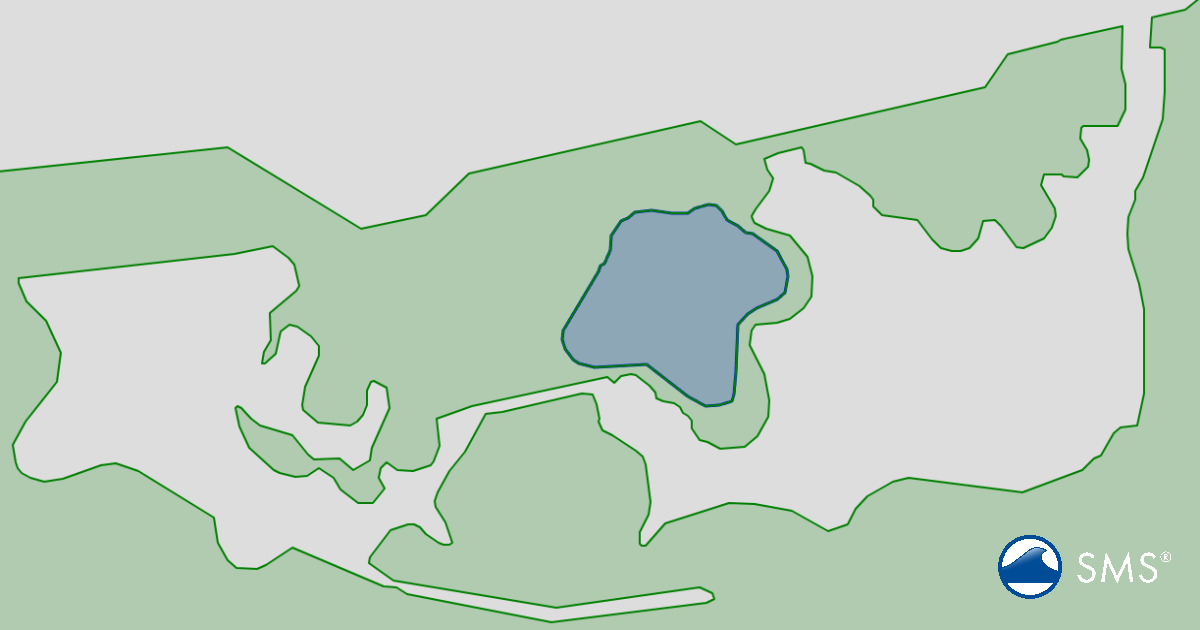
Clean Shapes is designed to work with geometric features in an existing coverage. The Clean Shapes dialog allows users to select an input coverage and specify whether they want to work with arcs or polygons. The results can then be written to a new output coverage, allowing the original geometry to remain available for comparison.
This workflow is particularly useful when working with imported GIS data. SMS already provides cleaning functionality for feature objects, and Aquaveo recommends cleaning imported or converted geometry when unneceSimplify and Prepare Complex Geometryssary or problematic features could interfere with model setup.
Simplify Unnecessary Arcs
Complex GIS datasets can contain many small or redundant arcs. The Clean Shapes tools provide several ways to simplify this geometry.
The Collapse operation removes an arc and connects its endpoints to adjacent arcs, maintaining network continuity. This can be useful for removing small or redundant pieces of geometry without leaving gaps in the network.
The Delete operation, by comparison, removes the selected arc without reconnecting surrounding geometry. This makes it useful when an unwanted feature should simply disappear.
For connected features, Concatenate can join two arcs into one continuous arc. Users can choose whether the starting or ending node of the primary arc is preserved.
Improve Curved Geometry
The Curvature Redistribution option can be particularly helpful after importing coarsely digitized GIS data. It redistributes vertices along an arc so that the geometry better follows a smooth or curved shape.
This is useful for features such as:
-
Meandering channel banks
-
Shorelines
-
Levees
-
Roads or other linear structures
-
Curved model boundaries
Good vertex spacing is important because vertices along arcs can influence the spacing and quality of elements generated from conceptual geometry.
Prune Small Features and Snap Geometry
The Prune operation removes small side features or appendages from an arc based on a specified distance. This can be useful when imported geometry contains small details that are not important to the hydraulic model.
The Snap operation adjusts nodes or vertices so that they align with nearby features within a specified tolerance. This can help correct small gaps or misalignments that might otherwise complicate model geometry. SMS has long provided snapping functionality for aligning nodes and vertices.
Use the Map Viewer to Review Changes
One of the most useful aspects of Clean Shapes is the accompanying Map Viewer. Users can preview changes, display background imagery, zoom to primary or secondary arcs, and examine potential geometry modifications before applying them.
For operations such as concatenation, the Secondary list shows candidate arcs along with their length, number of segments, connected arcs, and distance from the primary arc. The Max Distance and secondary filtering options help narrow down which features should be considered.
This makes Clean Shapes more than simply an automated cleanup tool—it provides a way to inspect geometry and make controlled decisions about how it should be modified.
Prepare Better Geometry for Modeling
Clean Shapes fits naturally into the broader SMS conceptual modeling workflow. Users can import or create feature objects, clean and simplify them, and then use the resulting arcs and polygons to help construct computational geometry such as meshes and grids. Aquaveo's current SMS tutorials include dedicated Clean Shapes tutorials for data preparation, deleting polygons, and merging polygons.
The goal isn't necessarily to make geometry as simple as possible. Instead, the goal is to remove unnecessary complexity while preserving the features that matter hydraulically.
Conclusion
The Clean Shapes tools give SMS users greater control over the geometry that forms the foundation of their models. By collapsing or concatenating arcs, redistributing vertices, pruning unnecessary details, snapping features, and reviewing proposed changes in the Map Viewer, users can prepare cleaner and more functional coverages.
Taking time to clean geometry before generating a mesh or grid can pay dividends later. A well-prepared conceptual model can make mesh generation easier, reduce downstream cleanup, and help create computational geometry that better represents the physical system.
Take advantage of the clean shape tools and download SMS today!
September 29, 2026
|
View: 441
|
Categories: SMS
|
By: <a class="mp-info" href="https://aquaveo.com/blog/author/admin">Aquaveo Staff</a>
About the Author


Converting a NET File to an INP File
May 9, 2018
Performing a Silent Install of XMS (Passwords & Hardware Locks)
October 10, 2018
Computing Basin Curve Numbers in 9 Easy Steps
May 16, 2023
Performing a Silent Install for ALS
October 27, 2021
Tips for Finding Information on the XMS Wiki
September 25, 2019
How to Calibrate a HEC-HMS Model for Peak Flow Accuracy
October 20, 2026
Meet the New Display Panel
October 13, 2026
What’s New in the GMS 11.0 Beta
October 6, 2026
Simplify and Prepare Complex Geometry
September 29, 2026
Unlock SMS 14.0 Map Undo Features
September 22, 2026